OMERO Annotate AI
Annotate your OMERO images with AI help, and get training-ready data out the other end.
You pick images from an OMERO project, dataset, plate or screen. OMERO Annotate AI opens them one by one in napari, where micro-SAM suggests cell or nucleus outlines that you accept or correct with a few clicks. You can also hand the images to Cellpose instead. The finished masks go back to OMERO, next to the original images, and every choice you made is written down in one small YAML file.
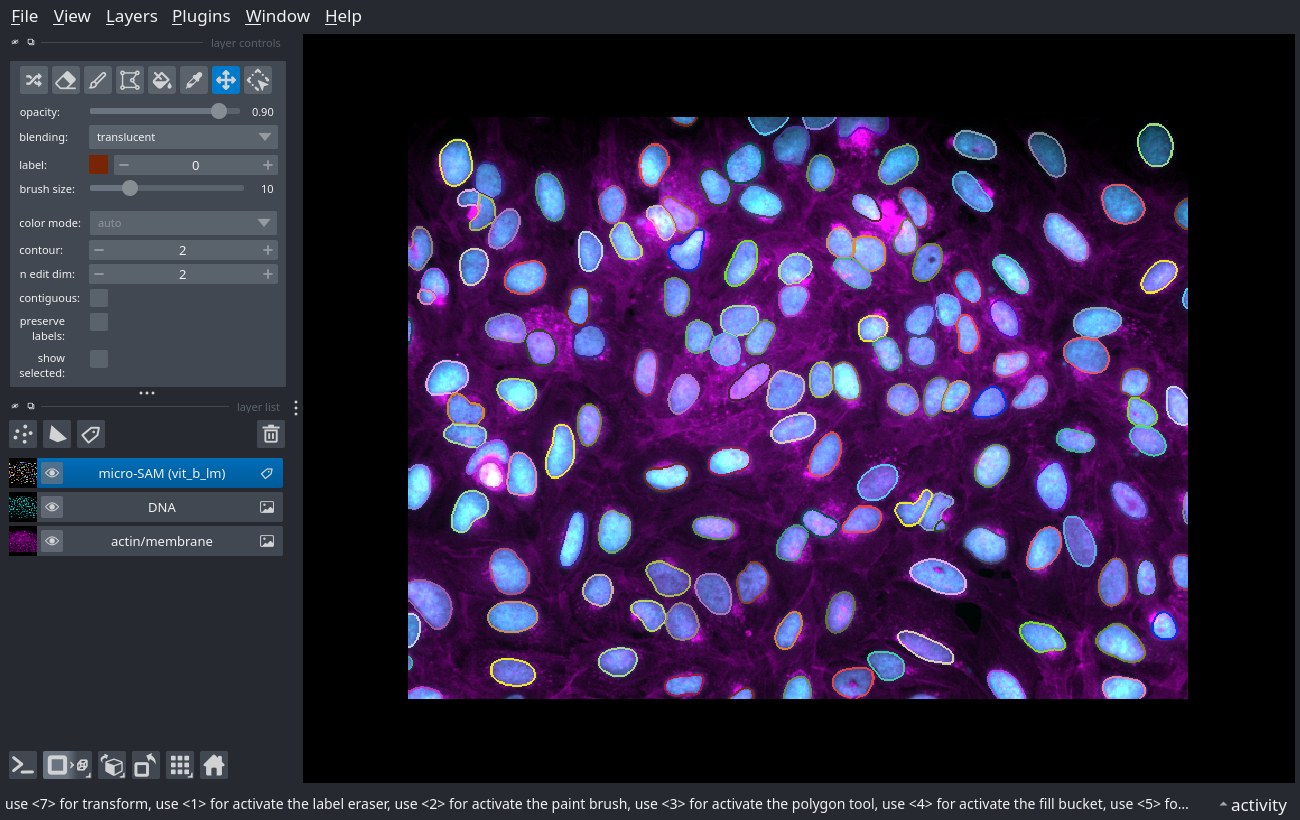 micro-SAM (
vit_b_lm) segmentation of nuclei in a Cell Painting field from the
BioImage Archive (S-BIAD855), shown in napari.
What you get
-
Annotation without file juggling
Images are loaded straight from OMERO. No exporting, renaming or copying TIFFs by hand.
-
Results stored in OMERO
Masks, ROIs and a table of what was annotated are attached to your images, so colleagues can see them in OMERO.web. Interrupted runs resume without duplicates, and earlier masks can be reviewed and corrected.
-
A record of every run
One YAML file holds the images, channels, patches and train/validation/test split you used, and every session is recorded with an optional note. Open the set again to continue where you stopped, or share the YAML so others can repeat the run.
-
Ready for model training
Turn the annotations into the folder layout that micro-SAM, BiaPy and DL4MicEverywhere expect, or package them for the BioImage Archive.
How it works
flowchart LR
    A[OMERO<br/>project · dataset · plate · screen] --> B[Select images<br/>train / val / test split]
    B --> C[Annotate in napari<br/>micro-SAM or Cellpose]
    C --> D[Back to OMERO<br/>masks · ROIs · tracking table]
    D --> E[Training data<br/>micro-SAM · BiaPy · DL4MicEverywhere]
    D --> F[BioImage Archive<br/>MIFA export]
Read more about the main ideas (annotation units, patches, the tracking table, OMERO or local storage) before your first run.
Where to start
-
New here?
Install the package, then try it on public IDR data. No OMERO account of your own is needed.
-
Ready to annotate your own data?
Follow Annotate with micro-SAM, the main tutorial. Using Cellpose? See Annotate with Cellpose.
-
Have annotations already?
Prepare training data or share them via the BioImage Archive.
-
Writing a config by hand?
The configuration reference lists every YAML option.
What you need
- Access to an OMERO server (your institute's), or none at all for public OME-Zarr data such as the IDR's.
- A computer with a screen: napari opens a desktop window. A GPU makes micro-SAM much faster but is not required.
- Jupyter or marimo to run the example notebooks. The standard workflows need no programming beyond running notebook cells.
Support
- Questions and bug reports: GitHub issues
- Developed at the Leiden Cell Observatory within NL-BioImaging, funded by NWO.